Shorts that scroll themselves.
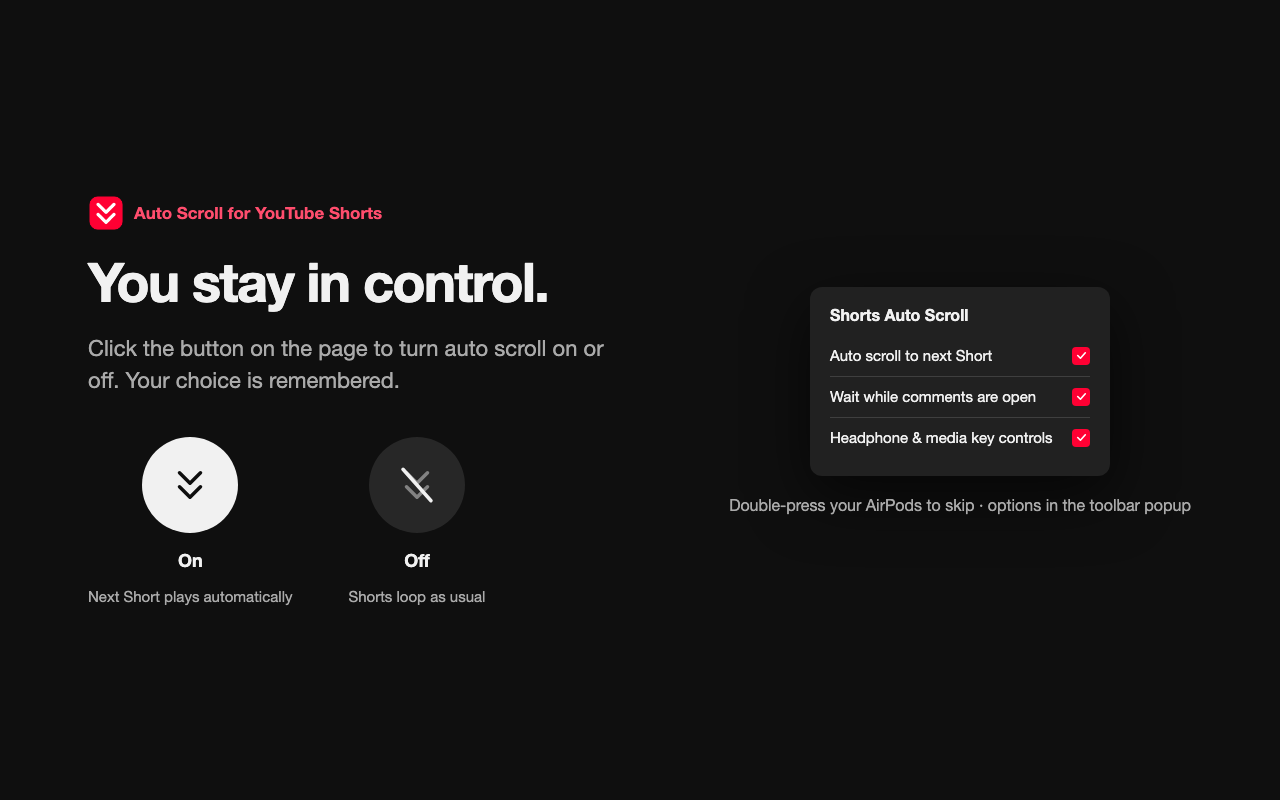
When a YouTube Short ends, the next one starts — no more reaching for the mouse or the down arrow. A round button right beside the up and down arrows turns it on or off in one click.

What you get
Hands-free, but never out of your hands.
It does one thing — plays the next Short — and gets out of the way the moment you want it to.
Skip from your headphones
Not feeling this one? Double-press your AirPods for the next Short, triple-press to go back. Works with keyboard media keys and other headsets too.
Remembers your choice
Turn it off once and it stays off — across tabs, windows, and browser restarts — until you turn it back on.
Extra options in the toolbar
Prefer the toolbar? The popup has the same on/off switch plus the comments setting, always in sync with the page button.
Three steps
Install it, watch, relax.
No setup, no API keys, no sign-in. Everything happens right in your browser.
Private by design.
Auto Scroll does everything on your computer. It saves three on/off settings in your browser and nothing else. No accounts, no analytics, no tracking, no ads.
- No data collected or transmitted
- Only runs on youtube.com
- No third-party trackers or ads
- One permission — storage, for your three settings